Next-Gen Child Safety, Smart Radar &
Discreet SOS Video Protection
Built by a dad & software engineer. Empower your child with instant incognito video streaming during emergencies and real-time GPS tracking. No data brokers. Zero advertising. Family privacy first.
Interactive Live Demo
See how KidsShield empowers both parent and child
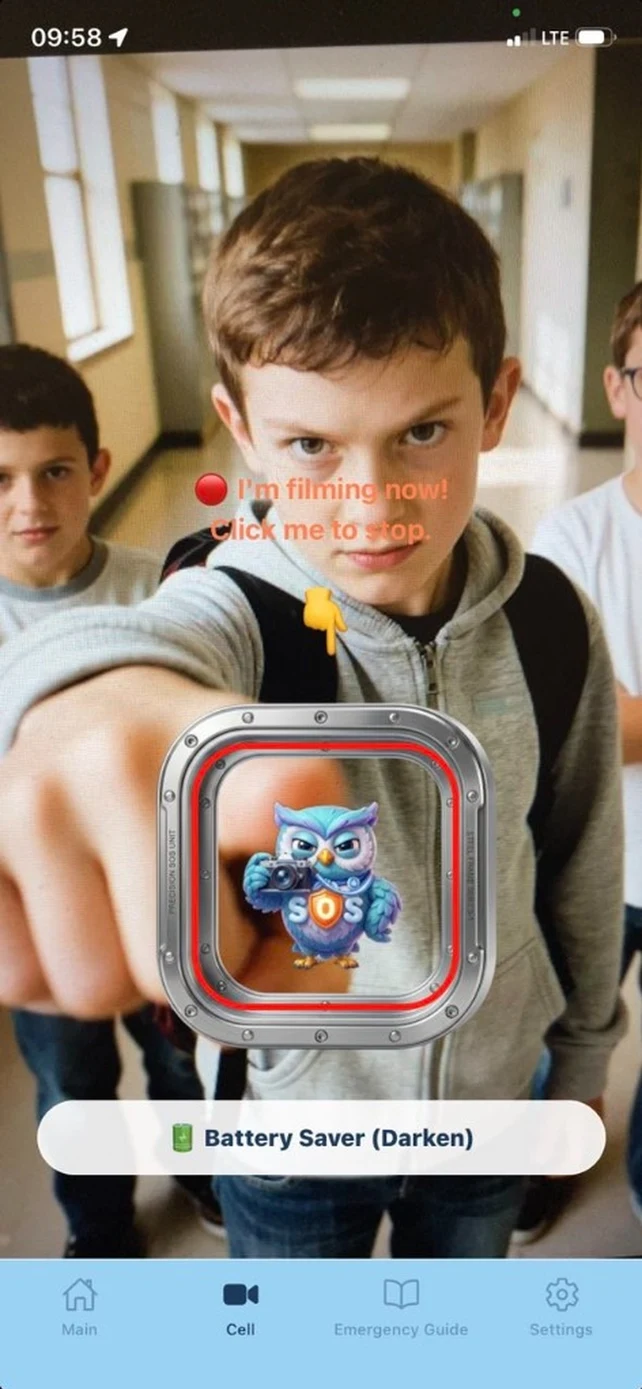
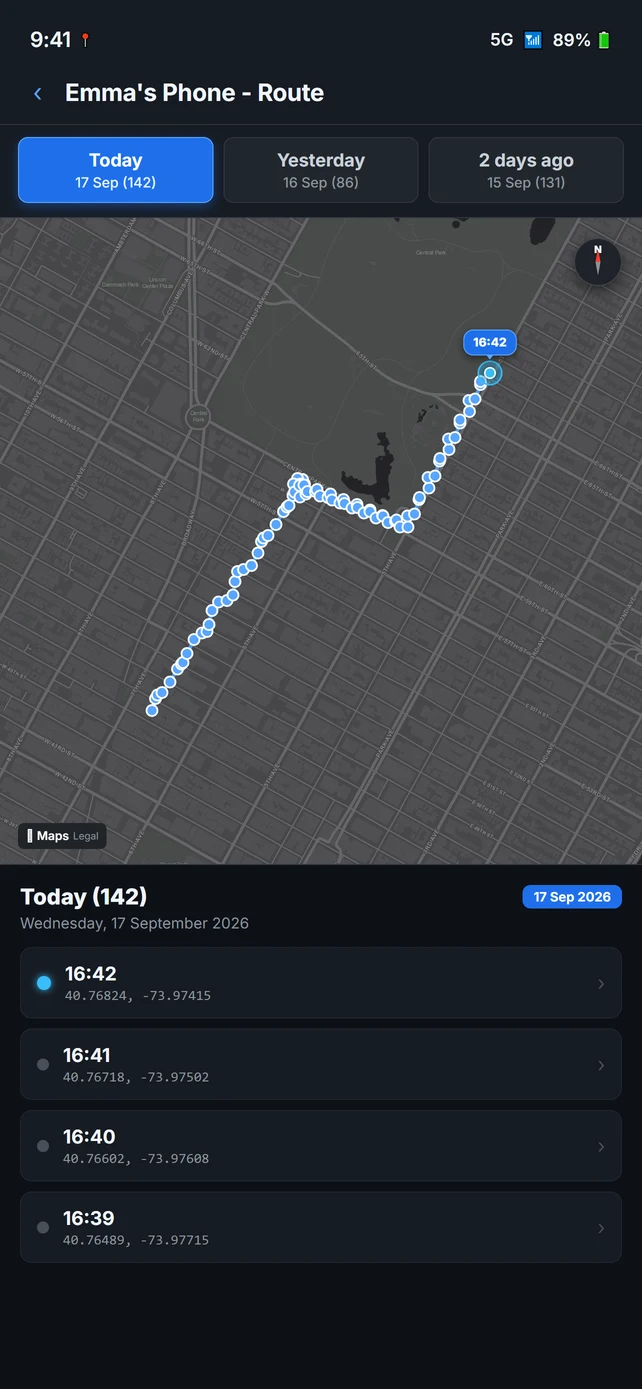
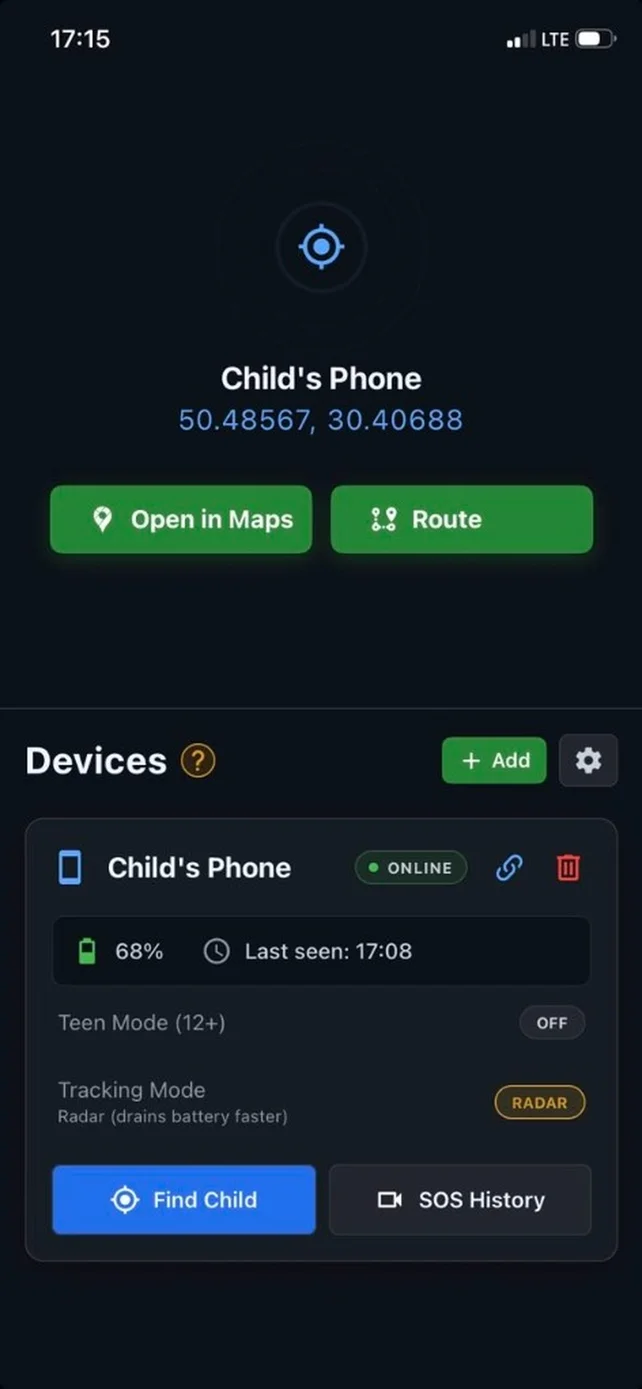
Near Real-Time Video & Stealth Screen
In tense moments or bullying situations, a child can trigger video recording in 1 tap from a home screen widget. Footage streams immediately in near real-time — parents don't have to wait for the recording to end to see what is happening!
Why Families Switch to KidsShield
Traditional family locators were built to monetize your data. KidsShield is built solely to protect your children.
| Capability | KidsShield | Traditional Trackers (Life360, etc.) |
|---|---|---|
| Selling Location Data to Ad Brokers | 🚫 Never. 0 Trackers. | ⚠️ Documented selling to third parties |
| Discreet Video Recording & Audio Evidence | ✓ Stealth screen recording (1-tap widget) | ✗ Not available |
| Dual-Parent Silent Alarm Override | ✓ Overrides Do-Not-Disturb on both parents | ✗ Standard push notifications (often silenced) |
| Subway & Dead Zone Offline GPS Sync | ✓ 72-Hour local memory sync | ✗ Blank route gaps |
| Grandparents Emergency Alert via Telegram | ✓ Included in 1 tap without app install | ✗ Everyone must download & create accounts |
| Child Safety & Cyber Quizzes | ✓ 3 Age-adapted themes & cyber tests | ✗ Zero education (pure surveillance) |
| No Credit Card Required Free Trial | ✓ 60 Days Free with code REDDIT2M | ✗ Demands credit card upfront with auto-charges |
Engineered for Real-World Emergencies
Simple enough for an 8-year-old. Powerful enough to handle critical situations.
Incognito Video SOS
If a child faces school bullying or an intimidating encounter, one tap captures live video with a blacked-out screen. No one around them knows evidence is being documented.
Dual-Parent Siren Alarm
When emergency mode is triggered, mom and dad receive a piercing override alert simultaneously, even if their devices are set to Silent or Do Not Disturb.
Smart Radar & 72h History
Continuous 10-second route breadcrumbs with automated jitter filtering. Review where your child traveled over the last 3 days with pinpoint accuracy.
Telegram Trusted Network
Easily connect grandparents or neighbors through our automated Telegram alert bot. They receive instant emergency location maps without installing new apps.
Encrypted & Auto-Expiring
Video evidence is encrypted in transit and automatically wiped from high-speed storage within 24 hours unless saved directly by parents to their camera roll.
Subway Offline GPS Caching
When entering underground subway stations or cellular blind spots, points are safely stored in device flash memory and batch-synced the moment connection is restored.
Interactive Safety & Cyber Academy
Kids resent intrusive tracker apps that feel like spyware. KidsShield educates and empowers children with interactive safety tutorials and quizzes across 3 dynamic themes that evolve with their age.
Real-World Safety & Stranger Defense
Designed with friendly, encouraging visuals for younger kids. Teaches essential street awareness, traffic safety, what to do if separated in a crowd, and personal boundaries.
Gaming Scams & Internet Hygiene
Tailored for tweens who love online gaming and social apps. Covers identifying phishing links, avoiding free Robux/V-Bucks scams, recognizing toxic online players, and strong password habits.
Cyberbullying & Digital Privacy
Minimalist, ultra-discreet dark mode that teens respect without embarrassment. Focuses on cyberbullying defense, avoiding blackmail/doxxing, digital reputation, and stealth emergency reporting.
Connect Parent & Child in 60 Seconds
No complicated passwords or accounts needed on the child's phone.
Install Parent App
Download KidsShield on your phone, choose "I'm a Parent", and tap "+ Add Device" to get a secure 6-digit numeric pairing code.
Connect Child Device
Install KidsShield on your child's phone, select "I'm a Child", and type the 6-digit code. Permissions are granted with one tap.
Instant Family Shield
Both devices are instantly linked. Radar mode, battery percentage, and emergency video streaming are active right away.
Frequently Asked Questions
Everything you need to know about privacy, testing, and subscriptions.
Have Questions or Need Help?
Our developer and support team responds promptly to all parent inquiries and feature suggestions.
✉️ Contact Support: support@kidsshield.space